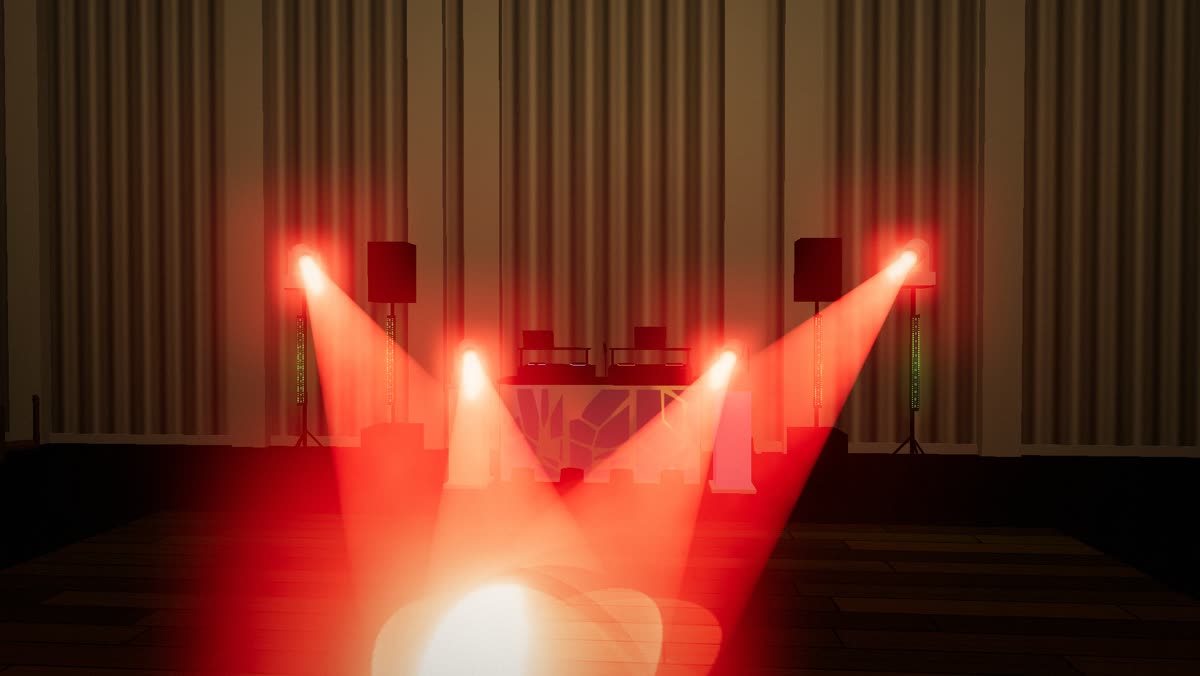
Moving heads hitting the dance floor in red on the drop, shown in the app's 3D view

Built by a working wedding DJ

Your light show, run from a tablet

Tessavio DMX runs your moving heads, bars and uplights from an Android tablet. Built for mobile DJs: no laptop, no programming, the lights follow the music while you mix.

See it in 2½ minutes

The real app, with a 3D view of a wedding DJ's rig: the show to the music, wedding moments, room setup, the light library, moving heads and the live buttons.

The first demo

October 2026 · a wedding night walkthrough with the real mic finding the beat. Recorded on an earlier version of the app.

More demo videos are coming: follow Tessavio on YouTube.

Built by a DJ, for the way DJs work

Not a lighting company's console squeezed onto a tablet. An app shaped by real weddings.

  • 4 moving heads · Chauvet Intimidator Spot 355 IRC
  • 4 pixel bars + 10 battery uplights
  • Wireless DMX to every light · tablet next to the decks

I'm Jerry, a DJ in New Jersey. I play weddings with the rig listed here. I've tried a lot of different software, apps and controllers, and every one was missing something. So I built my own.

Most wanted a laptop in an already crowded booth, hours of programming, or another box to carry. At a wedding, setup time is everything.

And guests don't notice if the lights are perfectly on the beat, but everyone notices the wrong mood at the wrong moment: strobes in the first dance, chaos during the toasts. So the app is built around the night itself, from the grand entrance to the last dance.

- Jerry Mazur, Tessavio LLC
Everything a wedding night needs

Setup time is everything at a gig, so the show plays itself and every important moment is one tap away.

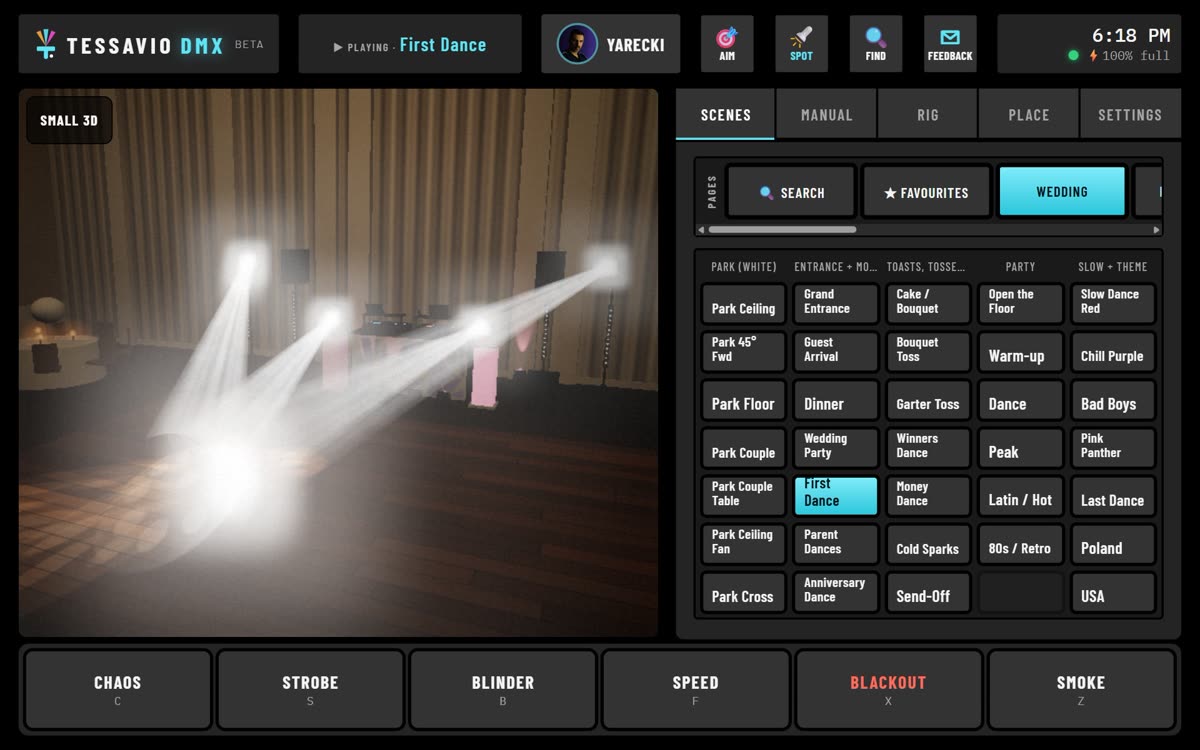
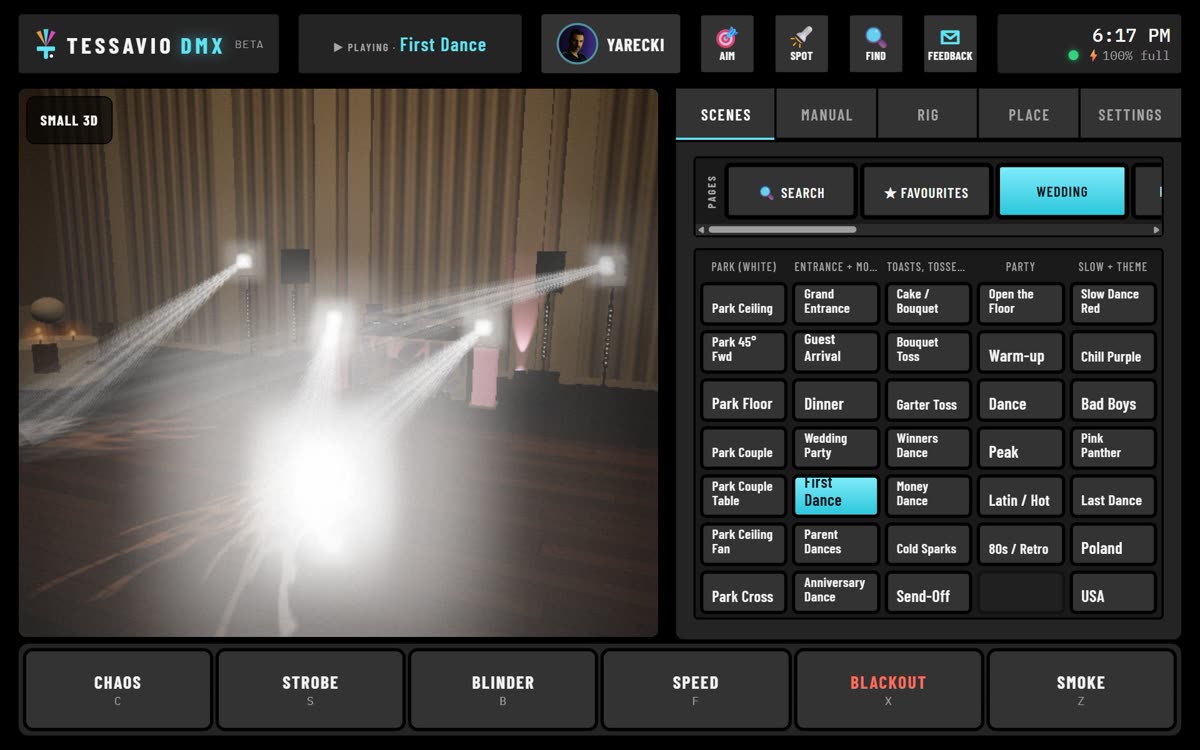
The Wedding page with First Dance selected and the beams on the couple

WeddingsThe whole night, one tap per moment

The Wedding page follows the evening, so every light changes to the right mood for that moment.

  • Guest arrival, grand entrance, dinner
  • First dance, parent dances, anniversary dance
  • Cake, bouquet and garter toss, money dance, send-off, last dance
Four moving heads meeting in one white spot on the dance floor

First danceA follow spot under your finger

Open the follow spot and drag on the floor map like a trackpad. All your moving heads meet on one point and follow the couple.

  • White, any colour on the wheel, or rainbow
  • Gobo, gobo spin with speed, prism
  • Tap any scene to go back to the show
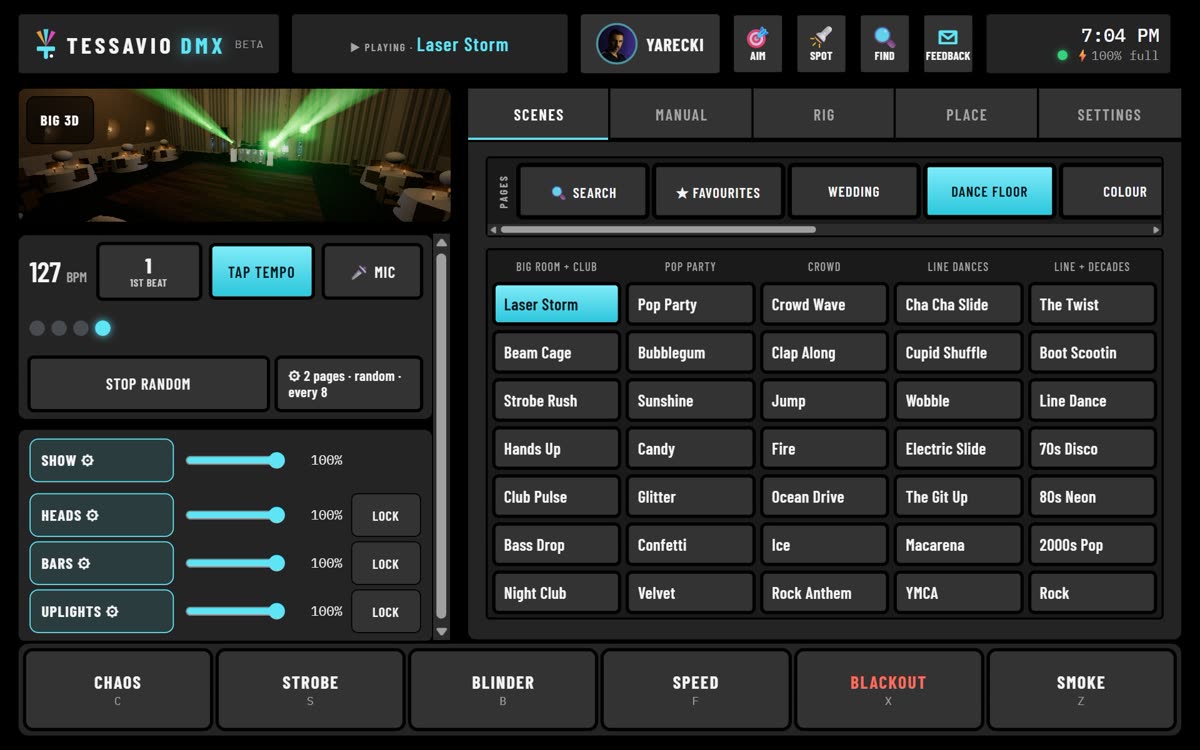
The tablet screen with Play random running

Hands-freeThe show runs itself, on the beat

Tap the tempo or let the tablet's microphone find the beat, then hit Play random. It jumps to a new look every 4, 8 or 16 beats, always on the beat.

  • Pick the pages it plays from
  • Ready-made looks: party, club, line dances, decades, colour washes and chases
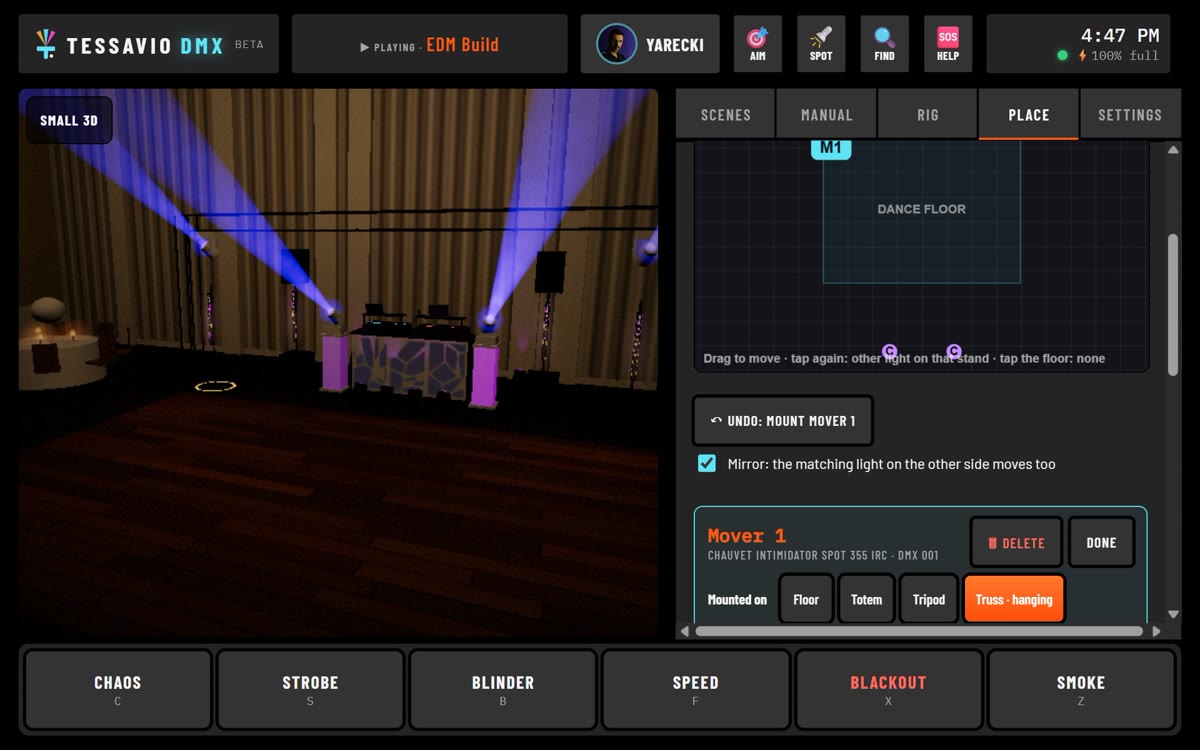
The Place tab: floor plan of the room and the moving heads hanging on a truss in the 3D view

Set upYour room, once, in 3D

Drag your lights on a floor plan of the room and the 3D view shows your real setup before the gig.

  • Heads on the floor, a totem, a tripod or hanging on a truss
  • Bars upright, across a T-bar, on a speaker pole or along the truss
  • Mirror: move one side and the other side follows
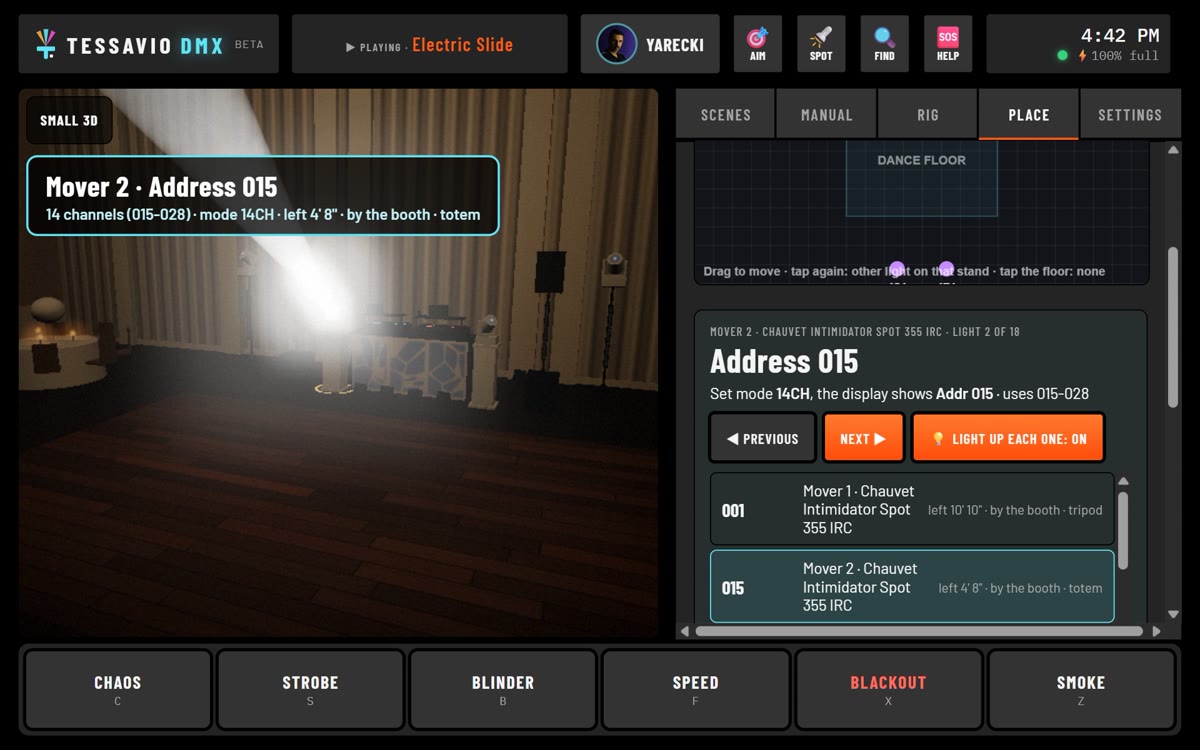
Setting DMX addresses: Mover 4 lit in the 3D view with its address card

AddressesWalk the room with the tablet

Tap Next and the app lights up one light at a time and shows the address and mode to set on it. No spreadsheet, no guessing which light is which.

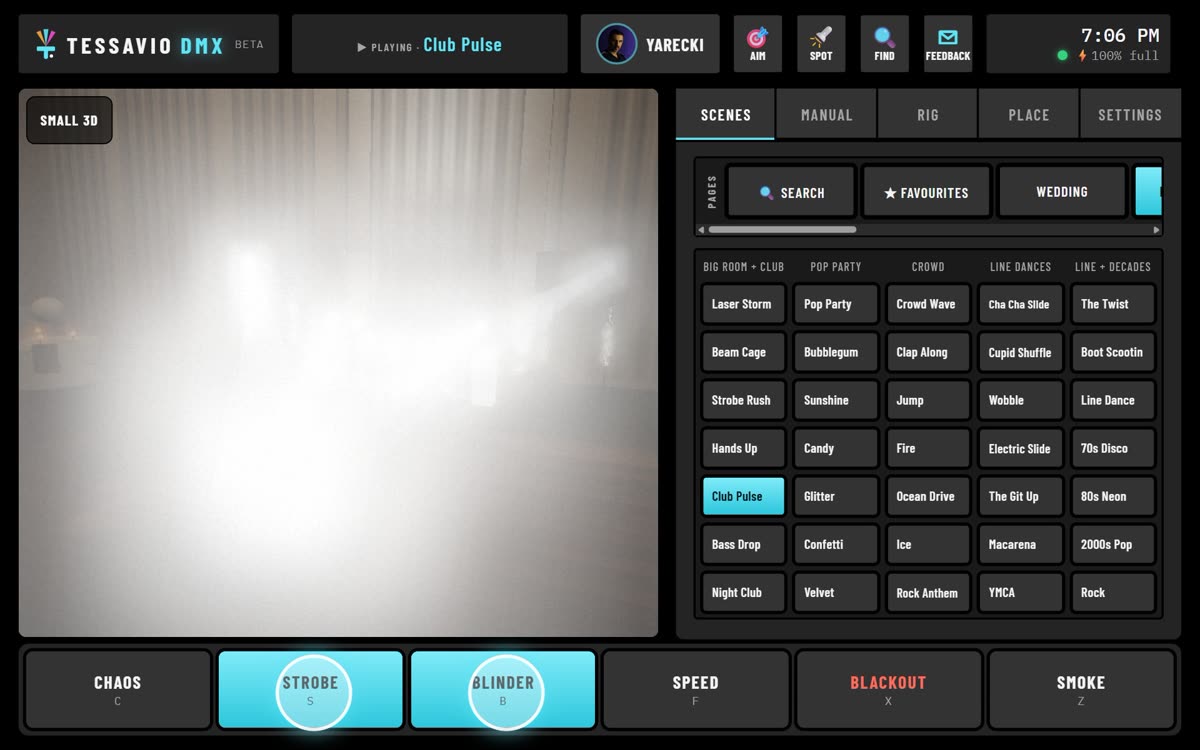
Strobe and Blinder pressed together: a strobing white wall

LiveHits under your thumb

Strobe, Blinder, Chaos, Blackout and Smoke sit along the bottom of the screen. Hold to fire and let go to stop, or set each one to stay on. Strobe and Blinder together make a strobing white wall for the drop.

And the rest of the setup

The parts you only notice when they are missing.

3D

See it before the gig

Your rig in a 3D room on the tablet. Build and test the show at home, before you load the van.

2,400+

Lights in the library

Search your light by name, pick its DMX mode, and the app numbers the addresses for you. Moving heads get a step-by-step setup, sharp gobos included.

1 tap

Find my light box

A step-by-step setup guide connects the tablet to your Wi-Fi DMX box and tests every light.

What you need

Most mobile DJs already own the last part.

1

An Android tablet

Best on a big one: 13 inch or larger. Built and tested on a 13-inch TECLAST T65 Max with Android 16. iPad is not supported yet.

2

A small Wi-Fi DMX plug

An Art-Net Wi-Fi node that plugs into DMX. Tested with the EasyNode Wi-Fi plug.

3

A wireless DMX transmitter

The one you probably already own. Use the same system as the receivers on your lights.

Test it at your gigs

The beta is ready for testing. I'm looking for working mobile DJs to try it and tell me honestly what works and what doesn't. I'll help you set it up. Testers who run it at 2 gigs and send feedback get the full version free for 1 year as a thank-you.

- Jerry, Tessavio LLC